
Login to Famepilot > Dashboard
Click on the “User” dropdown button in the top right side of the header
Select Reset Password
Step 1:
Click on the "User" button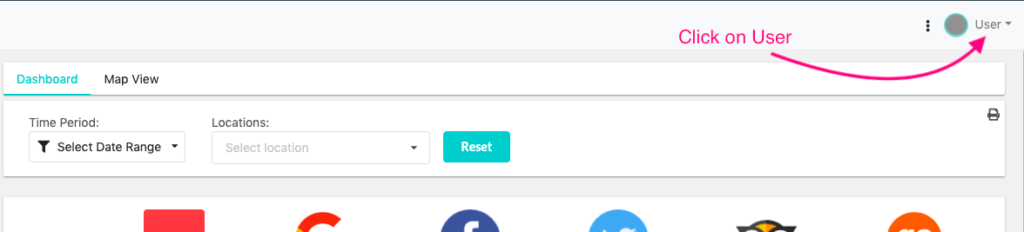
Step 2:
Select Reset Password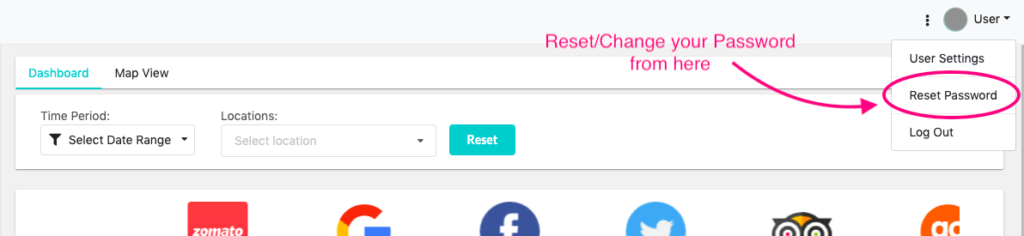
Step 3:
Change you password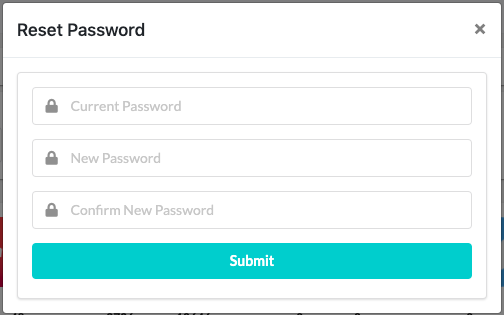
Still stuck?
Questions about reviews, listings or pricing? Send us a note and the team will get back to you within one business day.
Login to Famepilot > Dashboard
Click on the “User” dropdown button in the top right side of the header
Select Reset Password
Step 1:
Click on the "User" buttonStep 2:
Select Reset PasswordStep 3:
Change you password