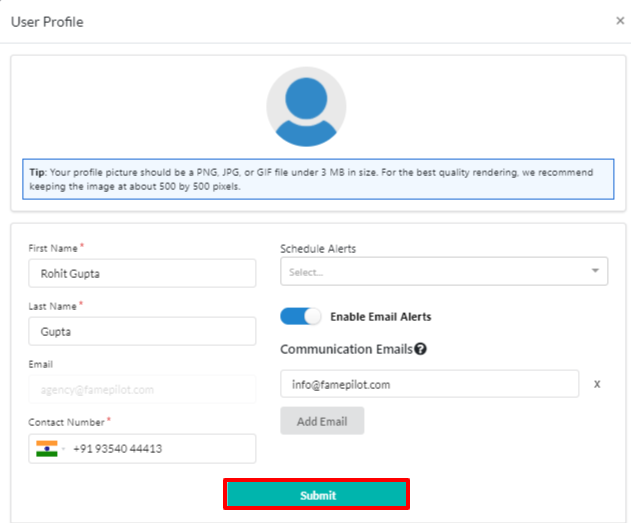
Login to Famepilot > Dashboard
Click on the “User” dropdown button in the top right side of the header
Select User Settings
Step 1:
Click on the "User" button on Famepilot dashbord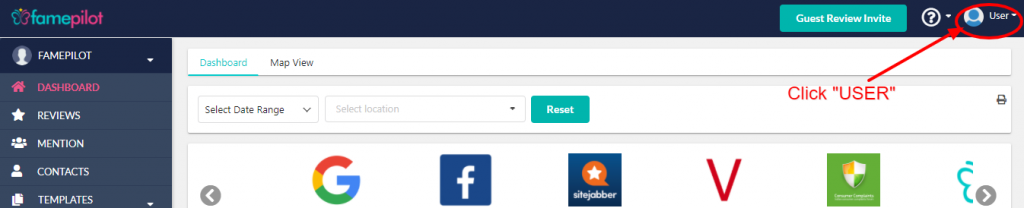
Step 2:
Select "User Settings"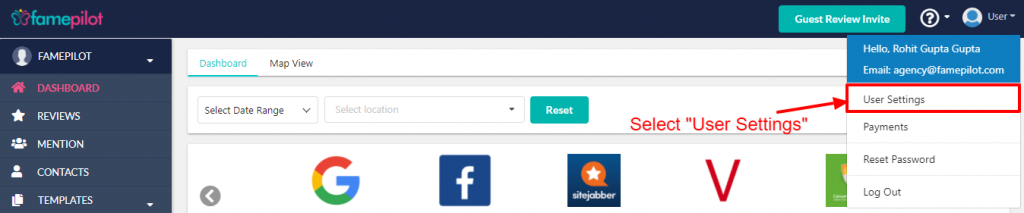
Step 3:
Upload Profile Picture, Edit -Your Name, Phone Number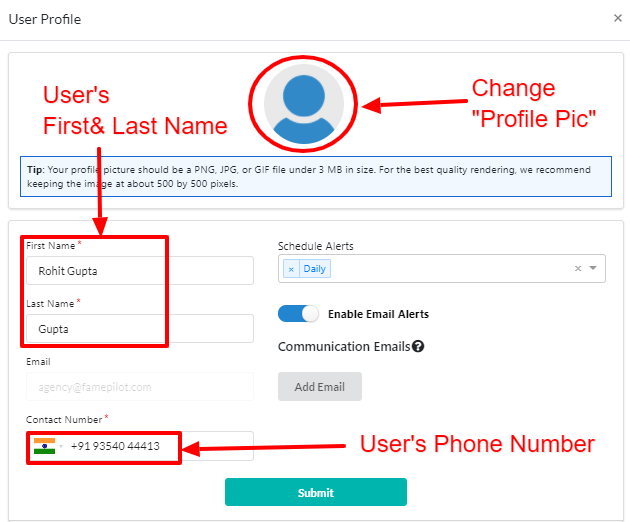
Step 4:
Choose how frequenty you want email alerts.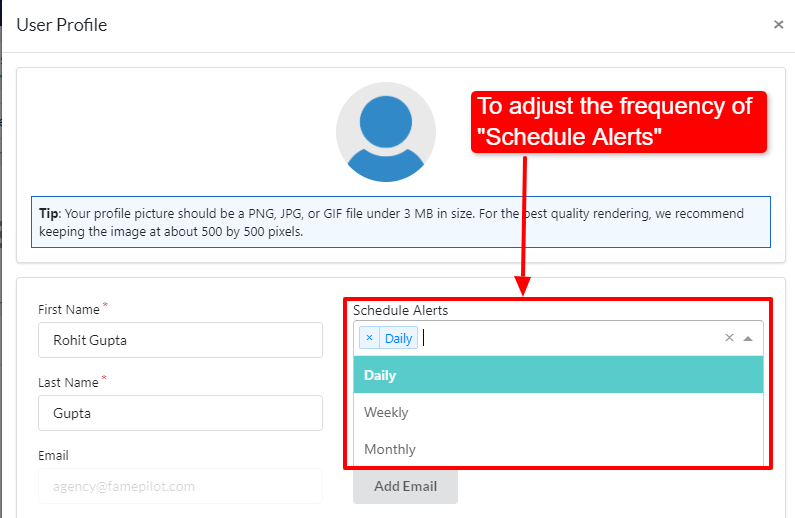
Step 5:
Click to "Enable", "Disable" Email Alerts.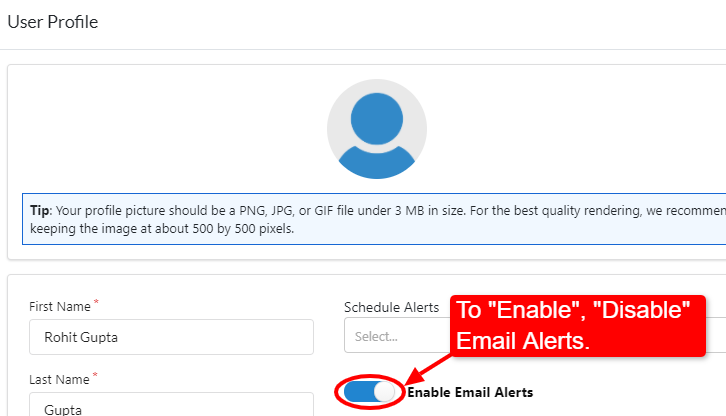
Step 6:
Click on "Add Email" to send "CC" email alerts.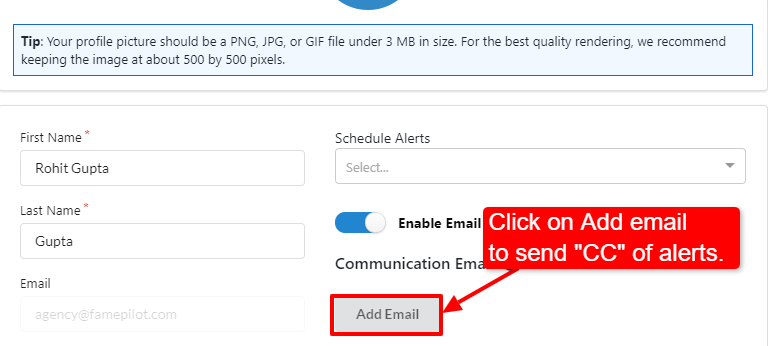
Step 7:
Add "Email Address" in the field.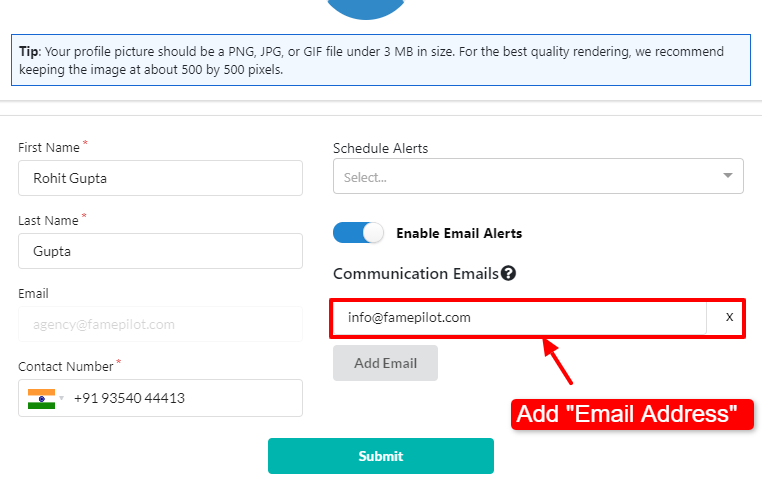
Step 8:
Submit to Publish all changes.