
Step 1:
Dashboard > Reviews > Reply button of each Review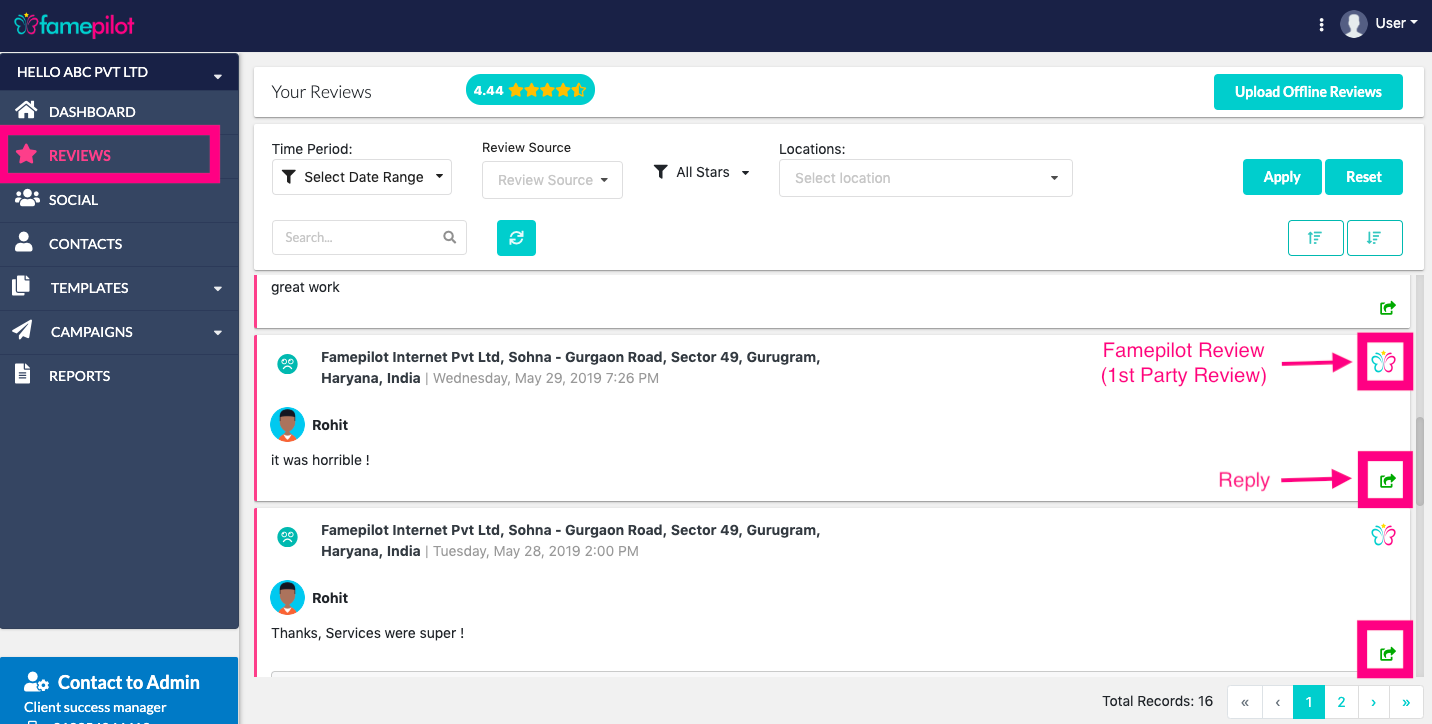
Step 2:
Reply to you customer and Send it !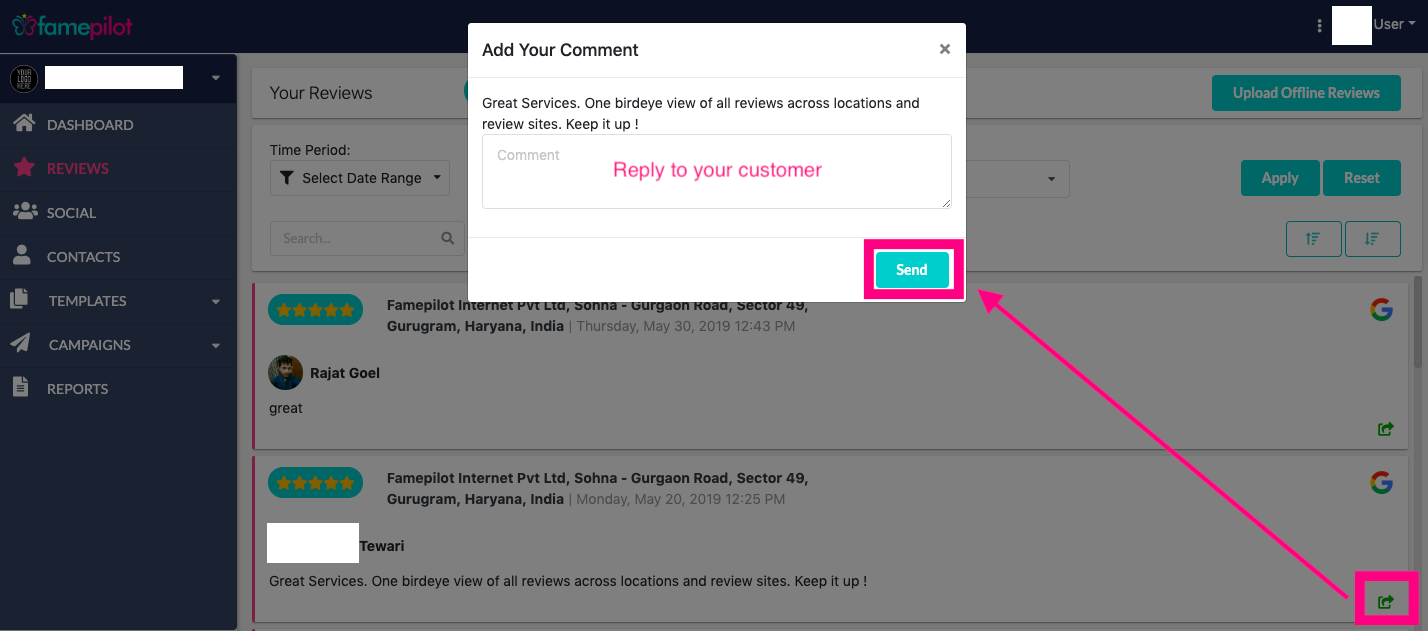
Step 3:
Customer will receive this reply as a SMS / Email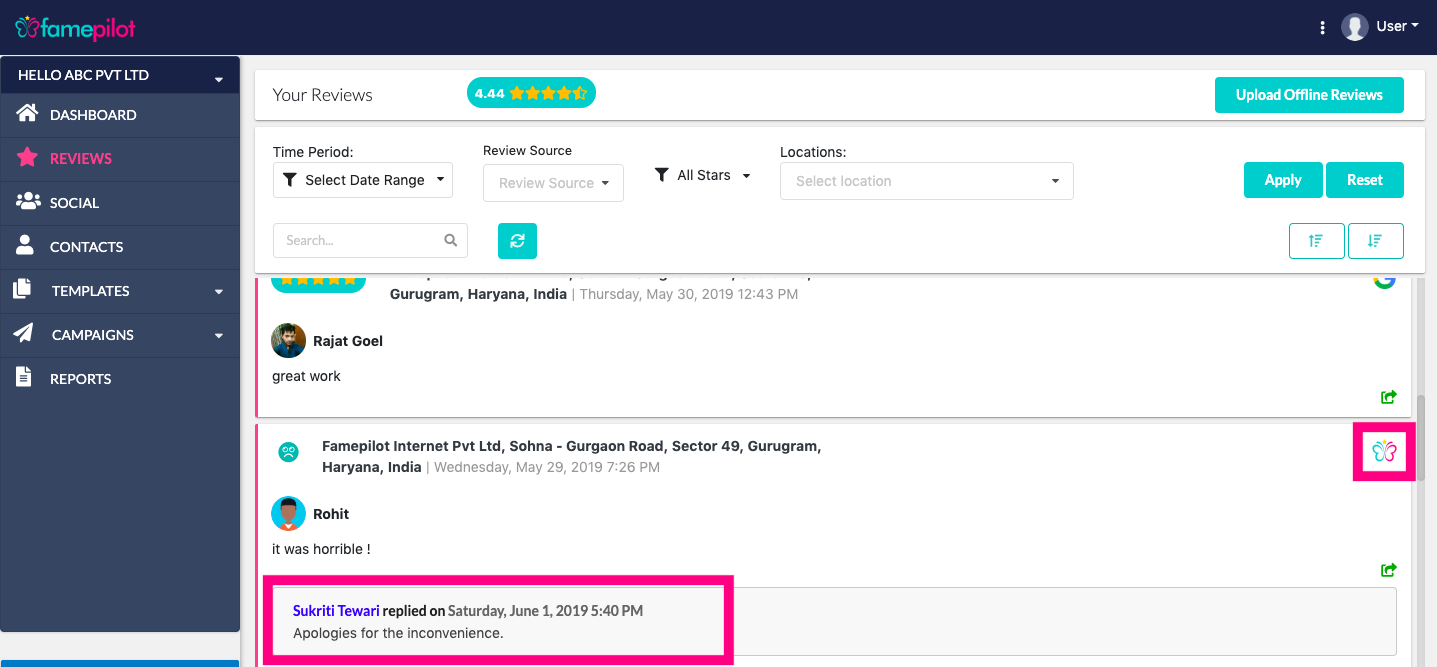
Step 4:
Your reply will look something like this on
Email
&
SMS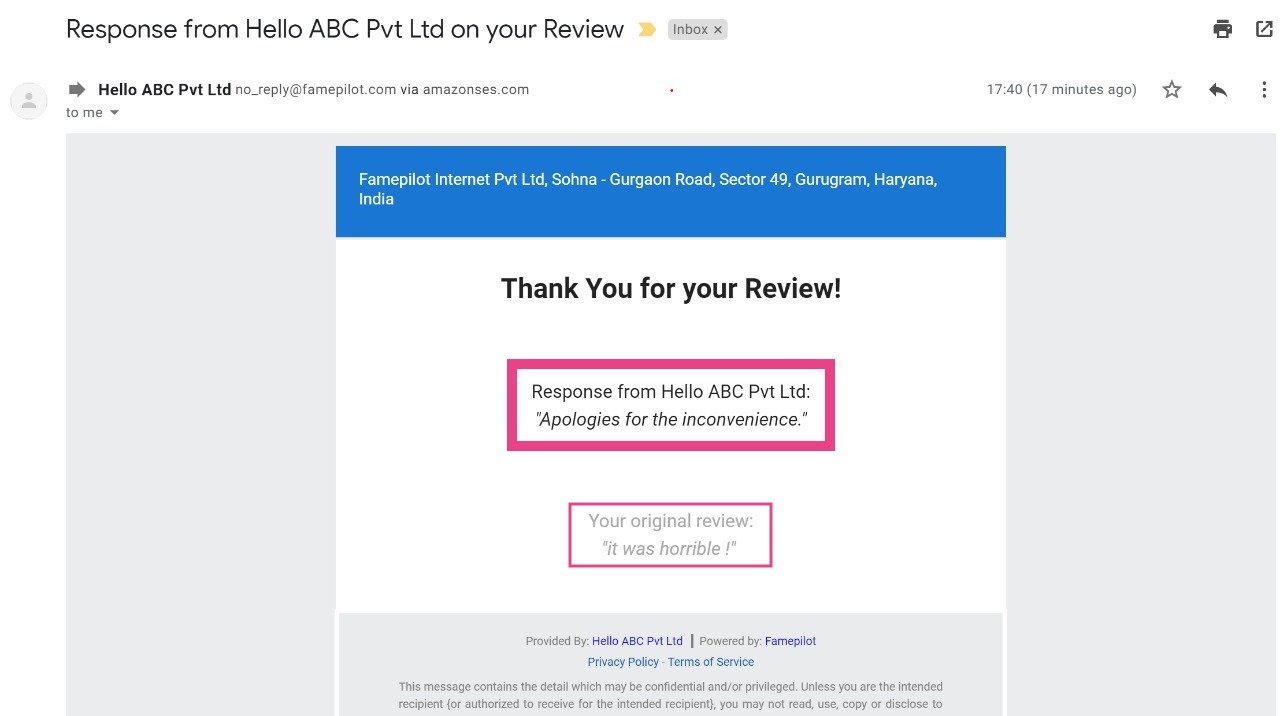
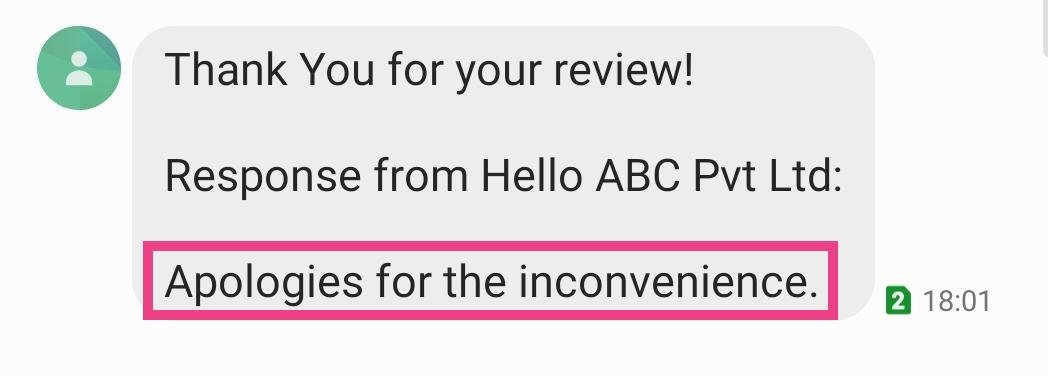
SMS
Still stuck?
Questions about reviews, listings or pricing? Send us a note and the team will get back to you within one business day.
Updated 1 min readArticle 1 of 4
Step 1:
Dashboard > Reviews > Reply button of each ReviewStep 2:
Reply to you customer and Send it !Step 3:
Customer will receive this reply as a SMS / EmailStep 4:
Your reply will look something like this on
Email
&
SMSSMS