
Creating custom tickets will leverage you to resolve different issues on the same platform.
Step 1.
Login to your Famepilot Dashboard.
Step 2.
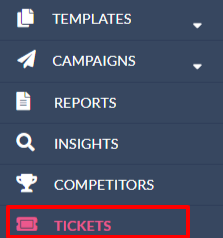
Click on “Tickets” in the left nav panel.
Step 3.
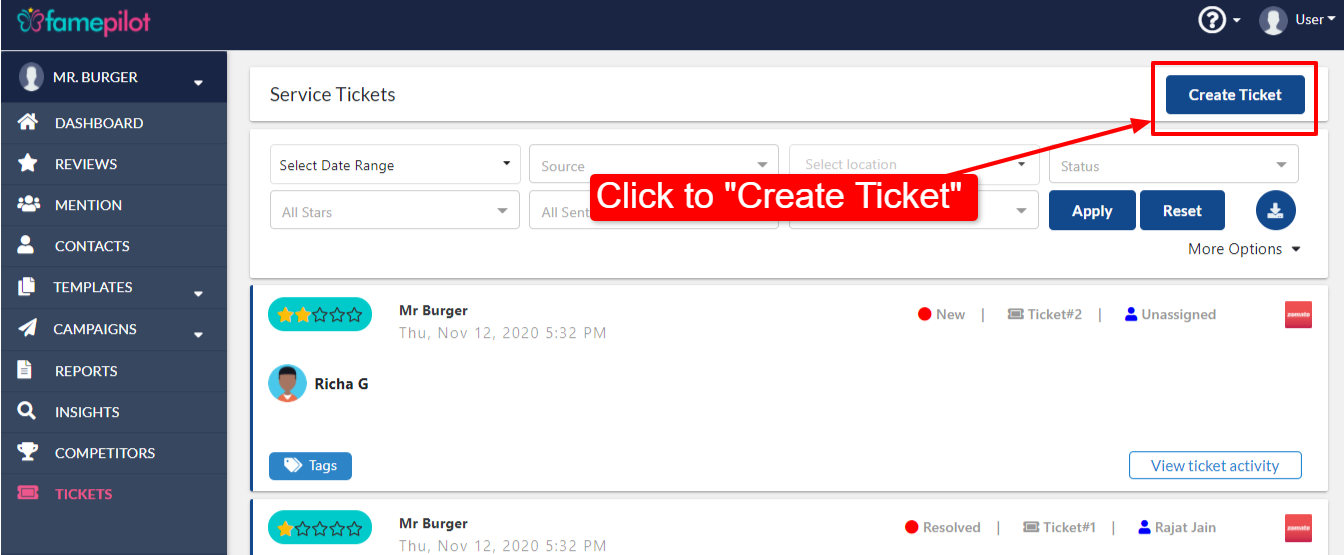
Click on “Create Ticket” to create your custom ticket.
Step 4.
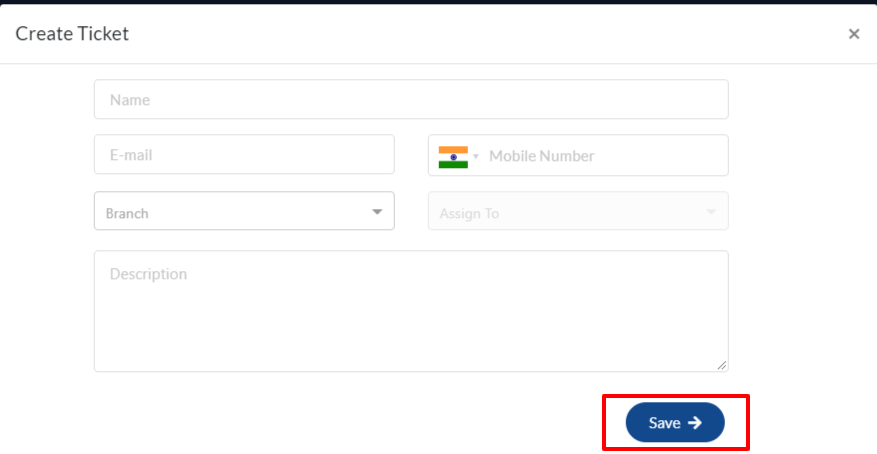
Fill the form and Save.
It’s Done!
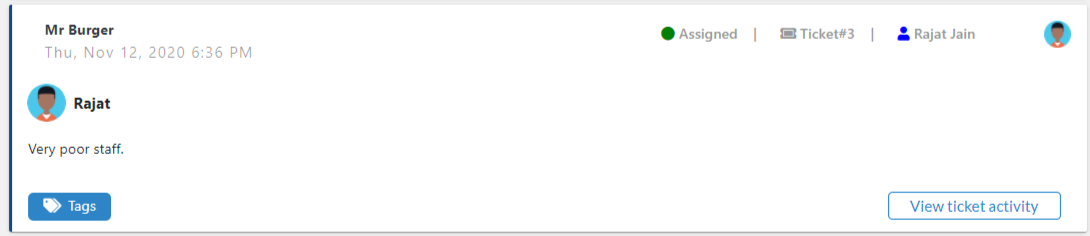
Custom Ticket is being created.