
Dashboard (left navigation bar) > Contacts > Add Contacts > Add a single contact
Step 1:
Dashboard > Click on Contacts (left navigation bar)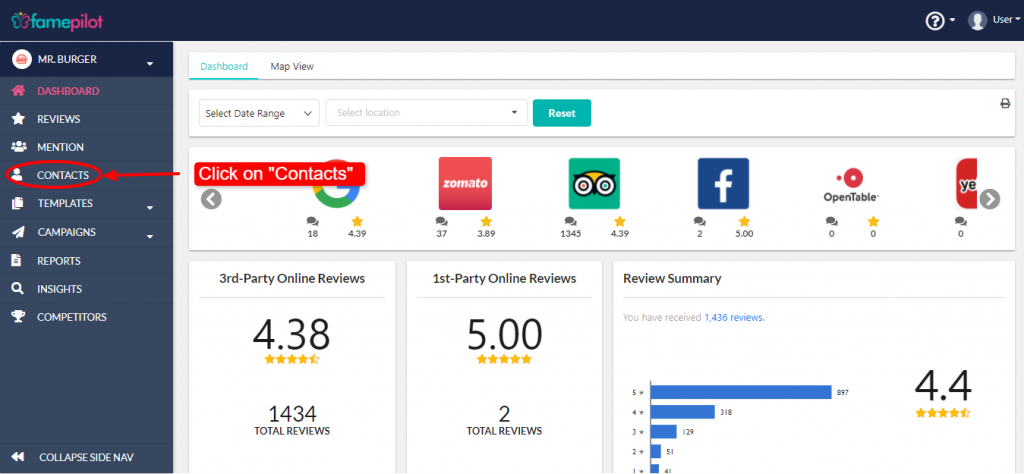
Step 2:
Click on "Add/Upload" Dropdown button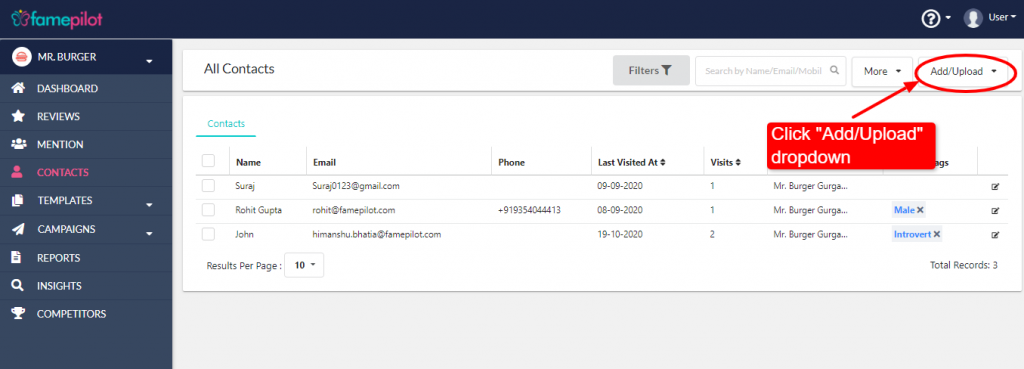
Step 3:
Select Add Contacts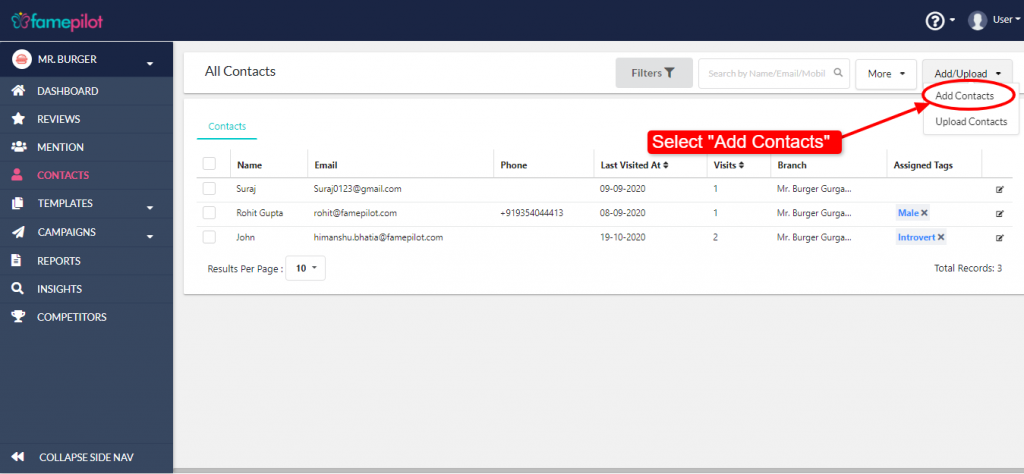
Step 4:
Fill the form and "Save"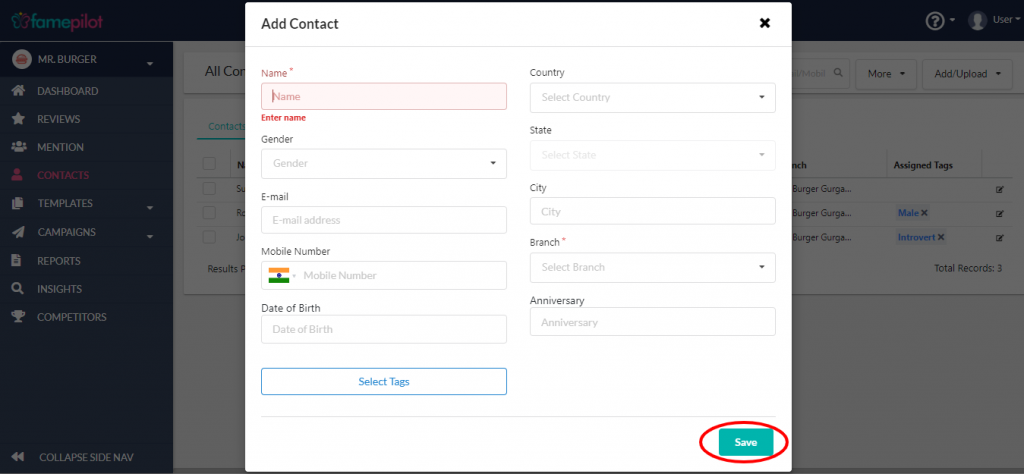
Still stuck?
Questions about reviews, listings or pricing? Send us a note and the team will get back to you within one business day.
Step 1:
Dashboard > Click on Contacts (left navigation bar)Step 2:
Click on "Add/Upload" Dropdown buttonStep 3:
Select Add ContactsStep 4:
Fill the form and "Save"