Click on your Company Name in the left Navigation panel on the Dashboard
In the drop-down, go to Location > Add Owner
This will help business to add Branch Manger (Assigned Person) to manage their location closely. Also, Concerned CXOs/VP/Head Person can be the Owner of all the locations and Monitor over all performance and activities closely.
Step 1:
Dashboard > Location/ Central Setup (left Navigation panel)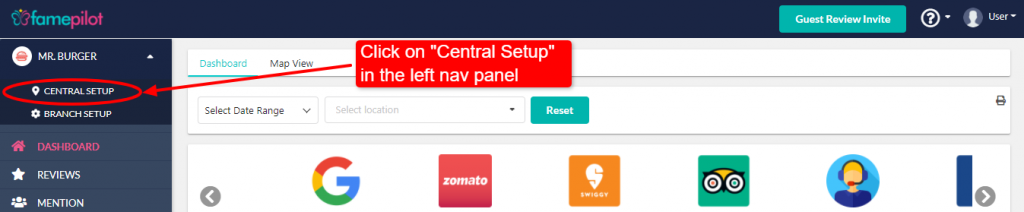
Step 2:
Click on button on the right of each location to check "More Options"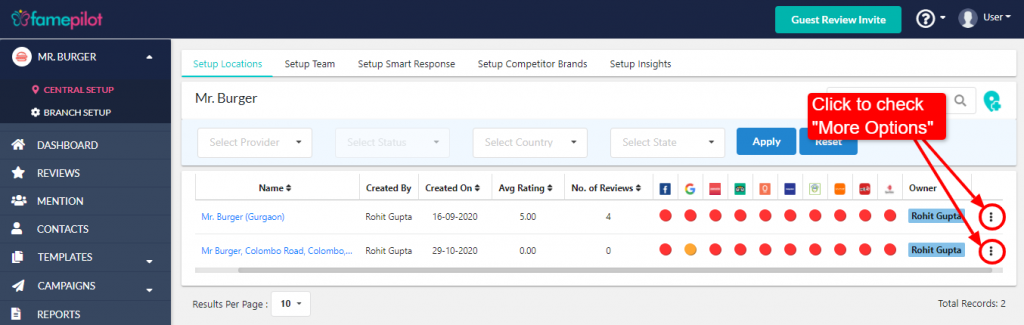
Step 3:
Select "Add Owner"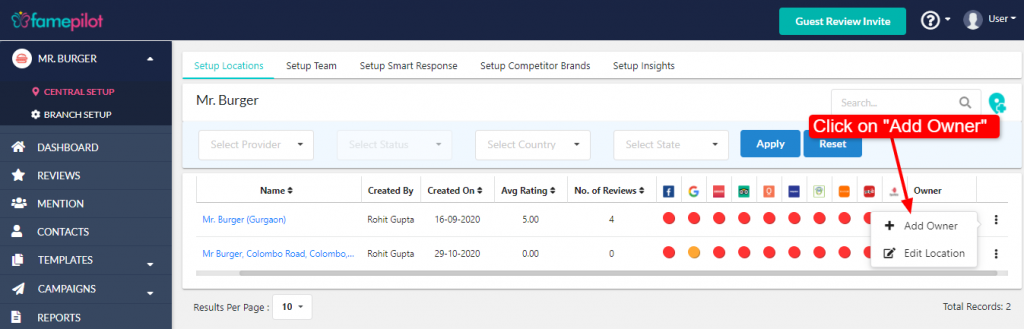
Step 4:
Select the concerned person as per location and Save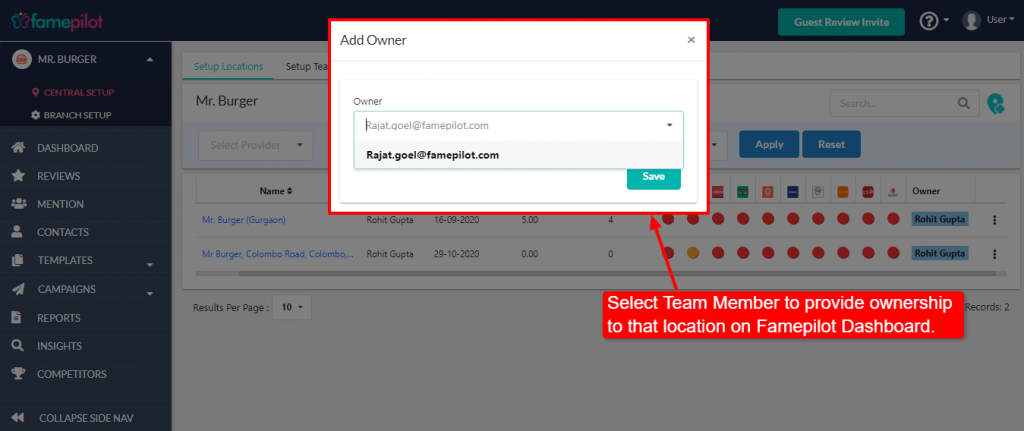
Step 5:
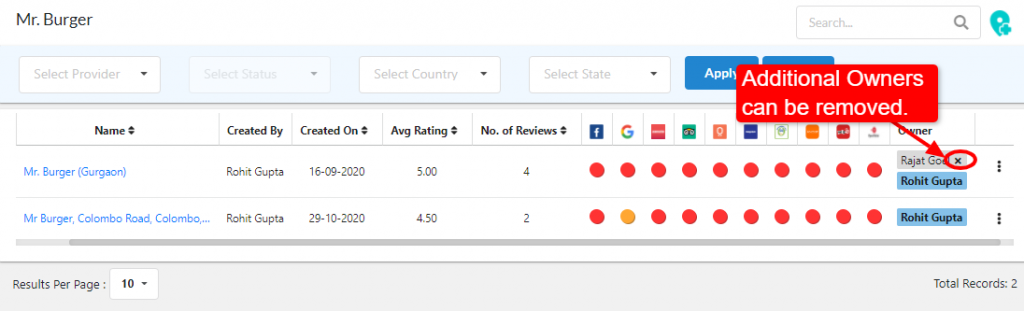
You can see assigned person's name location wise.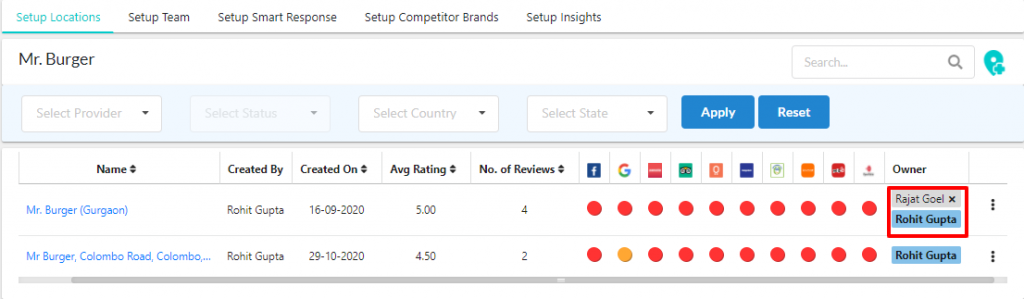
Step 6:
You can Delete, location wise team members accordingly