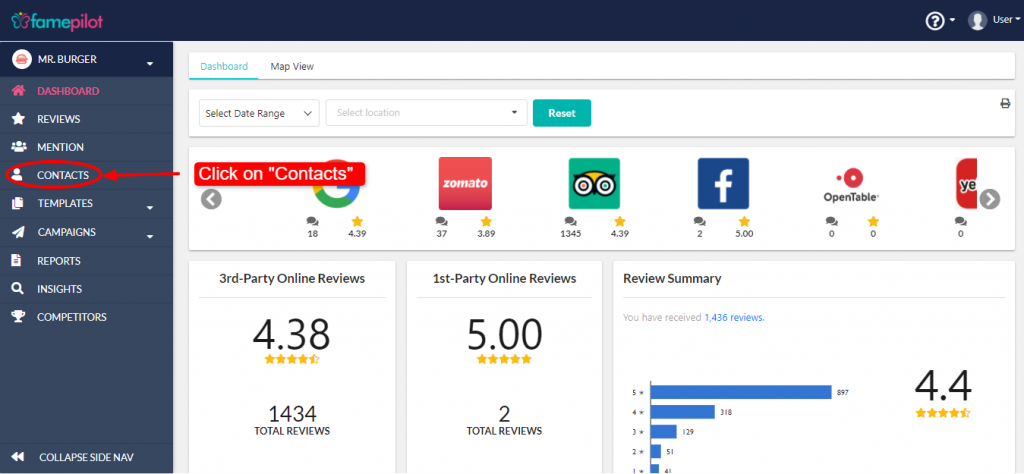
Dashboard (left navigation bar) > Contacts > Add Contacts > Upload contact excel sheet or Add a single contact
Step 1:
Dashboard > Contacts > Add Contacts
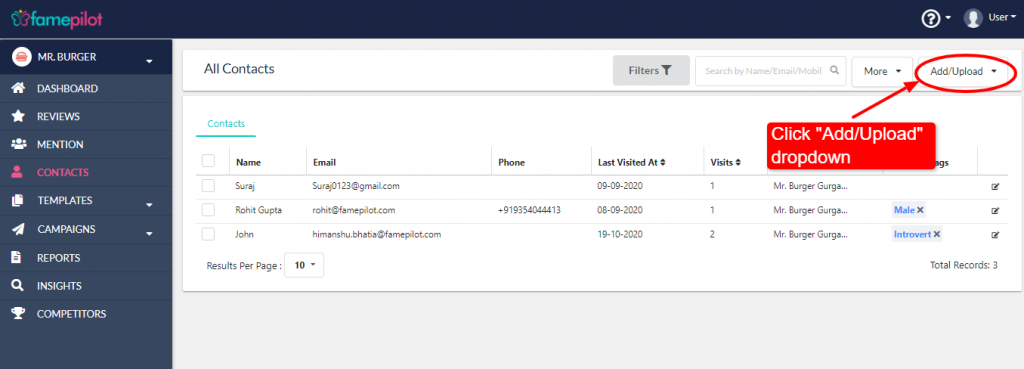
Step 2:
Download & Upload contact excel sheet
or
Add a single contact
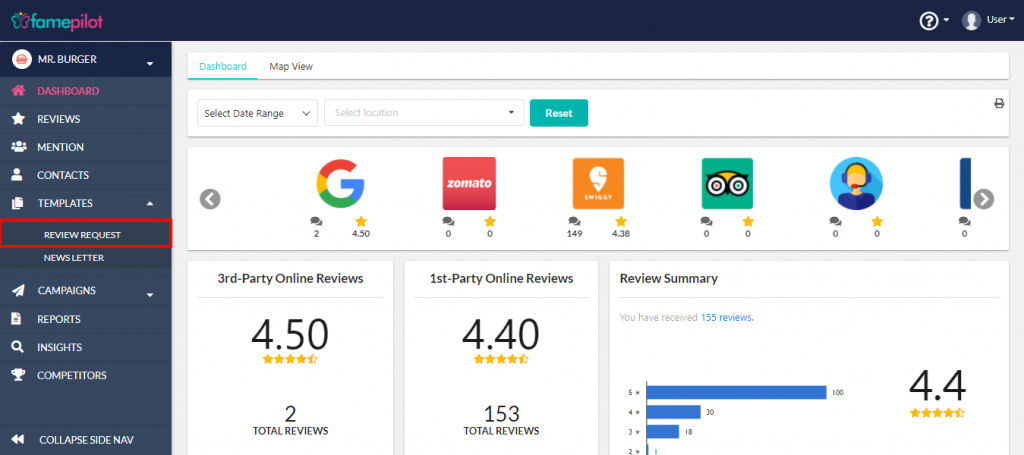
Dashboard (left navigation bar) > Template > Review Request > New Template > Review Request SMS
Step 3:
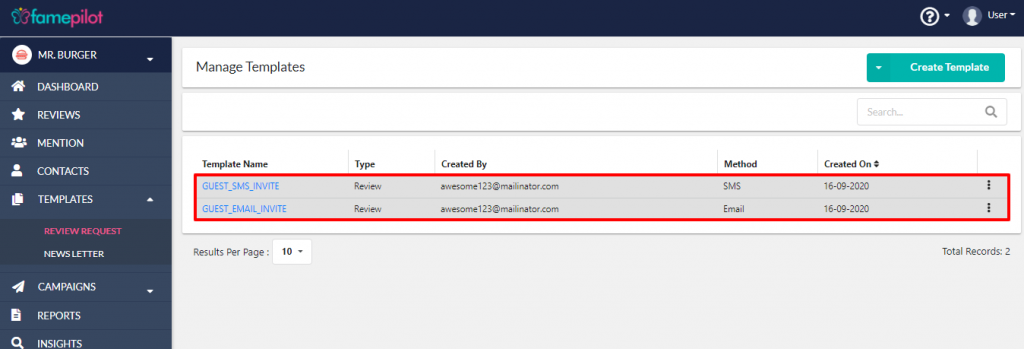
Dashboard > Review Request
Step 4:
User can use Default SMS Templates also
Step 5:
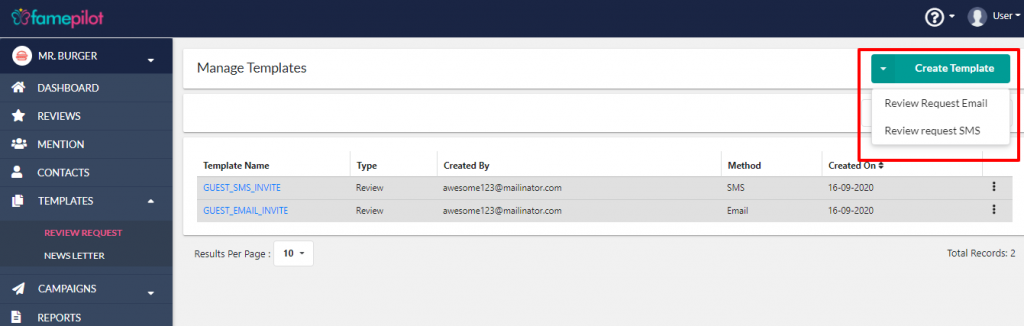
For New Template
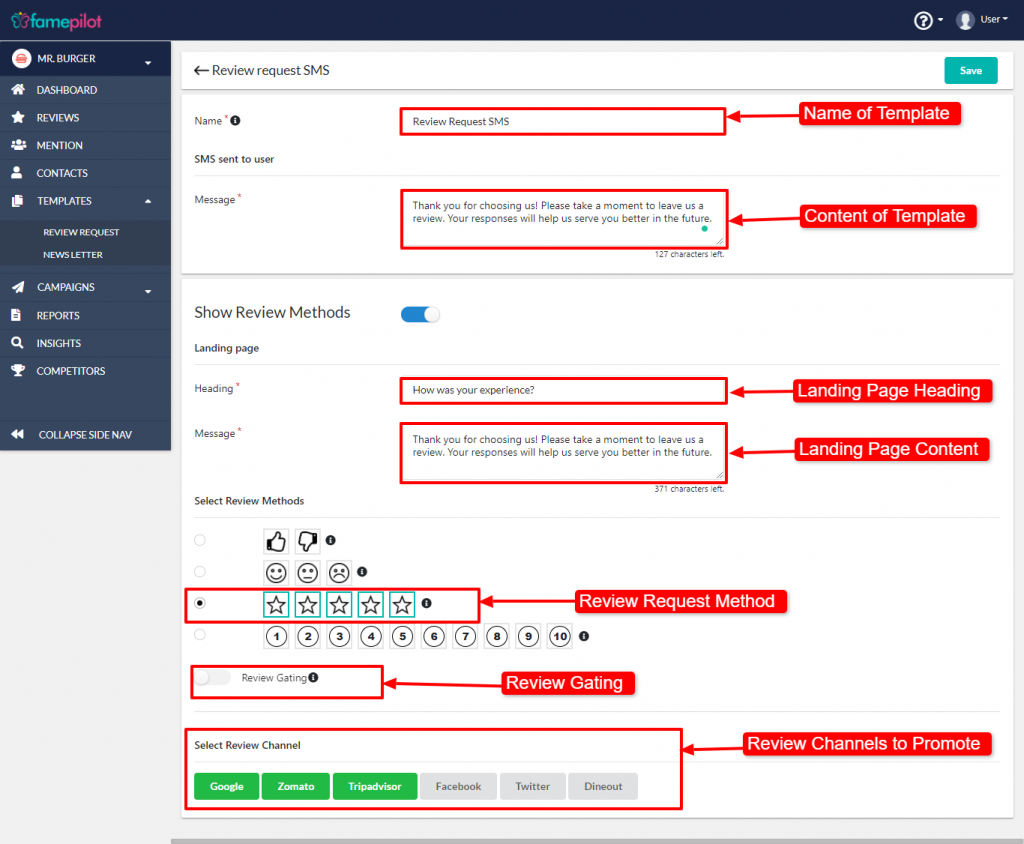
Step 6:
Fill out the details and Save!
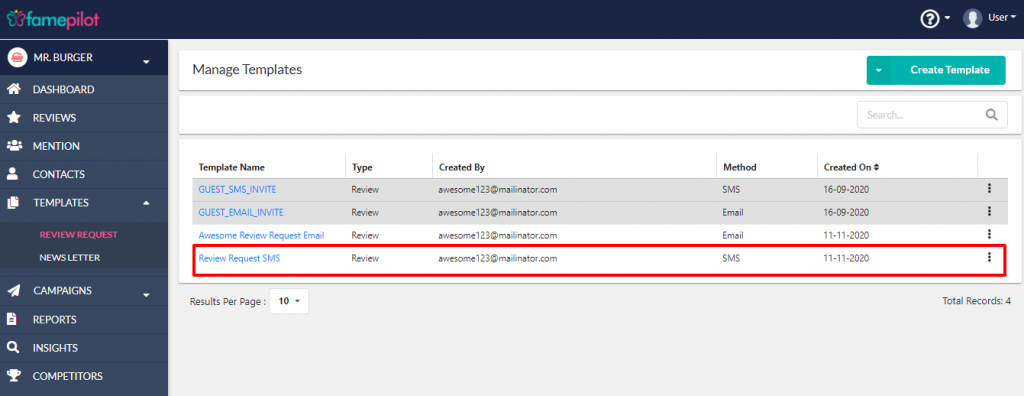
Its ready to shoot the campaign.
Dashboard (left navigation bar) > Campaign > Review Request
Step 7:
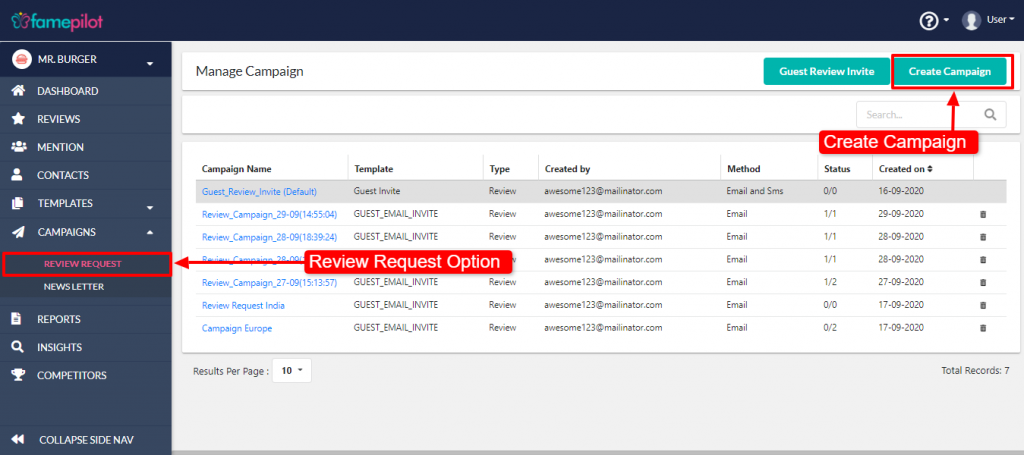
Dashboard > Review Request > Create Campaign
Step 8:
Fill out and select the required fields
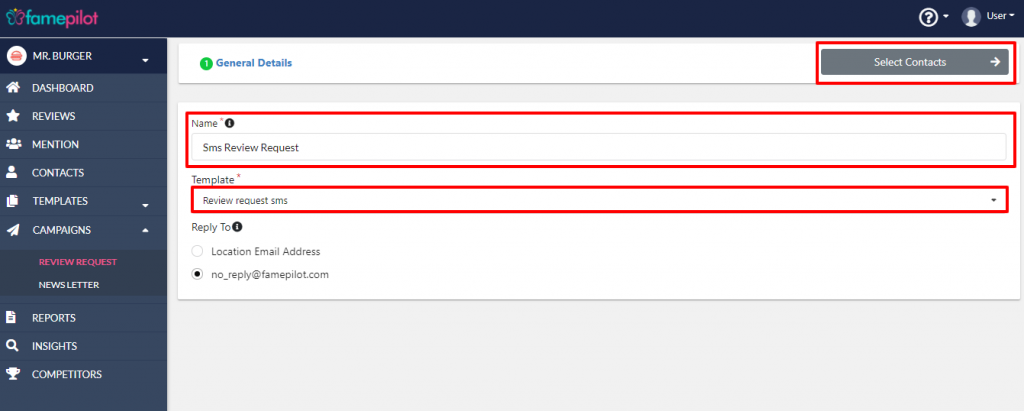
Step 9:
Full the details> Select Template and click to Select Contacts.
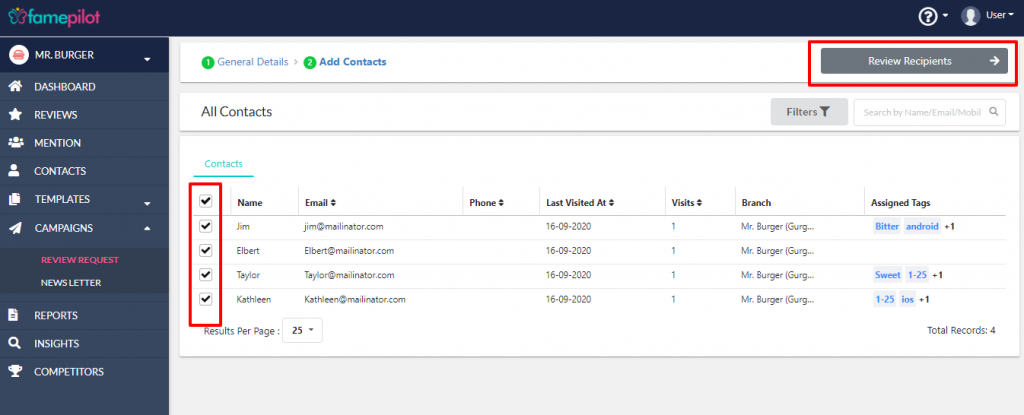
Step 10:
Select Contacts via checkbox and click on "Review Recipients".
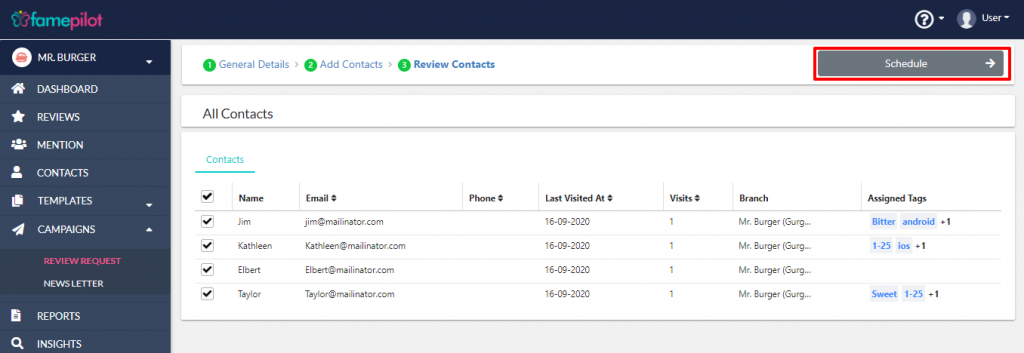
Step 11:
Review the contacts that will be targetted with this campaign and Click on "Schedule"
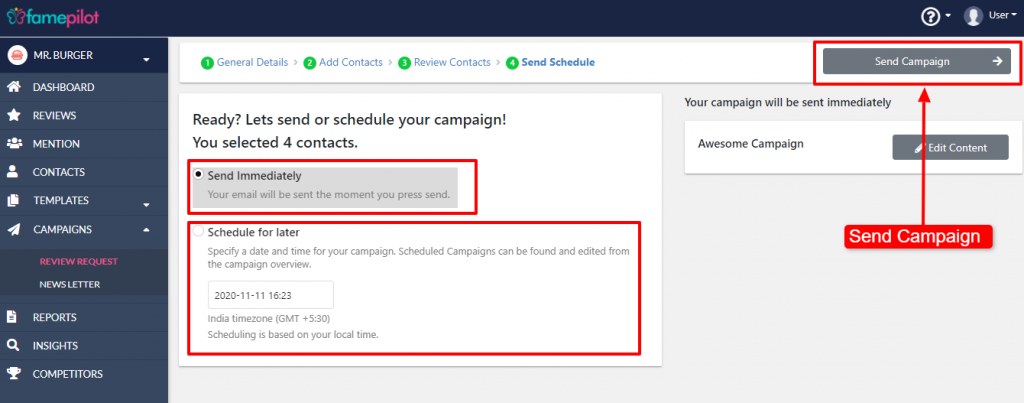
Step 12:
Select Send Immediately and Schedule for Later and click on "Send Campaign"